Install data tool
The data upload and download is done using a command line tool for the Resilience Hub, rhub.
Features of the tool
Upload a folder of data and connect it with your metadata in the catalogue.
Download the data you have access to.
This page explains both. You use the tool in a terminal. The terminal is the program "Terminal" on macOS and "PowerShell" on Windows. You find it by typing its name into the search of your computer.
Copy each command from this page into the terminal and press Enter. Some commands hold example values that you replace with your own. The page says which.
You do this once.
Install git
Install uv
Close the terminal and open a new one.
Install rhub
If uv says that the tool folder is not on your PATH, run uv tool update-shell.
Set the addresses
The tool has to know where the Resilience Hub is and where you sign in.
Close the terminal and open a new one.
Check the installation
The answer looks like this.
0.2.0
signed in as: nobody, run rhub login
backend url: https://test.data.resiliencehub.ewi.tudelft.nl/api
Sign in
If you have never signed in to the catalogue, do that once in your browser first. The Resilience Hub knows you only after that.
The tool prints a link and waits.
Open the link in your browser and sign in. The browser then asks whether you grant the tool access. Click "Yes". The terminal continues by itself.
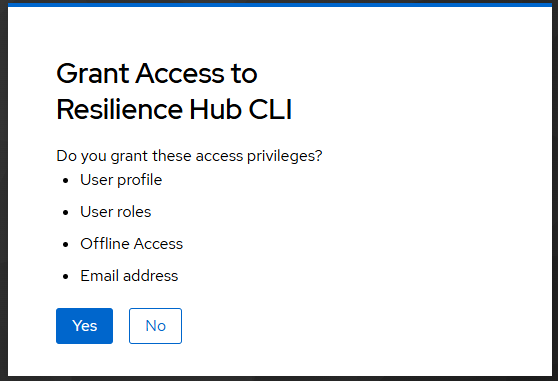
You sign in once. The tool remembers it.
Update or remove the tool
To move to a new version, run the command of Install rhub again, with the new version number in place of v0.2.0.
These commands remove the stored sign-in and the tool.